Introduction
- Why a home theater receiver is the backbone of any AV setup
- The difference a good receiver can make
What Is a Home Theater Receiver?
- Simple explanation of what a receiver does
- Receiver vs. amplifier vs. processor
Key Functions of a Home Theater Receiver
- Signal switching and audio/video processing
- Powering your speakers
- Acting as a control hub for your entertainment devices
Inputs and Outputs Explained
- HDMI inputs/outputs
- Analog and digital audio connections
- Phono inputs for turntables
- Pre-outs and subwoofer outputs
How Many Channels Do You Need?
- Understanding 5.1, 7.1, 9.2, and beyond
- Matching channels to speaker setups
- Expandability and future-proofing
Power Ratings: What They Really Mean
- Debunking wattage myths
- How to match receiver power with speaker needs
Decoding Surround Sound Formats
- Dolby Digital, DTS, and Dolby Atmos explained
- Which formats to look for in modern receivers
Room Calibration and EQ Features
- What is room calibration?
- Popular systems (Audyssey, YPAO, Dirac)
- How auto-EQ improves sound in your space
Smart Features and Wireless Connectivity
- Bluetooth and Wi-Fi streaming
- AirPlay, Chromecast, Spotify Connect
- Voice control and app-based control
Multi-Zone and Whole-Home Audio
- What is Zone 2 or Zone 3?
- Using a receiver to power multiple rooms
Choosing the Right Receiver for Your Needs
- Basic setups (soundbar alternative or stereo)
- Full 5.1 or 7.1 home theaters
- Gaming, music listening, and mixed-use setups
AV Receiver vs. Stereo Receiver: Know the Difference
- When a stereo receiver makes more sense
- Differences in design and purpose
Future-Proofing Your AV Receiver
- 4K, 8K, HDR, HDMI 2.1 support
- eARC, CEC, and other forward-looking features
Top Brands to Consider
- Trusted receiver manufacturers and what they’re known for
Conclusion
- Final thoughts on buying the right AV receiver
- Recap of what to prioritize
FAQs
- Can I use a home theater receiver just for music?
- Do I need an AV receiver if I have a soundbar?
- What’s the difference between Dolby Atmos and regular surround?
- How often should I upgrade my receiver?
Ultimate Guide to Home Theater Receivers : Introduction
Let’s be real—your TV might have a nice picture, but its sound is usually nothing to write home about. That’s where a home theater receiver steps in. If you’re building or upgrading your home entertainment system, your receiver is the beating heart of the setup. It connects all your devices, powers your speakers, and controls how you experience everything from music to movies to games.
In this guide, we’ll break it all down in simple terms—what a home theater receiver is, what it does, which features matter, and how to pick the right one. No tech degree required.
What Is a Home Theater Receiver?
Think of a home theater receiver as the central hub for your audio and video system. It receives signals from your input devices (like your streaming box, Blu-ray player, or gaming console), processes the audio and video, and sends the picture to your TV or projector while directing sound to your speakers.
It’s easy to confuse it with other gear like amplifiers or processors, but here’s a quick breakdown:
- Amplifier: Only increases audio signal power—no switching or video handling.
- Processor: Handles audio/video processing but doesn’t amplify; needs a separate power amp.
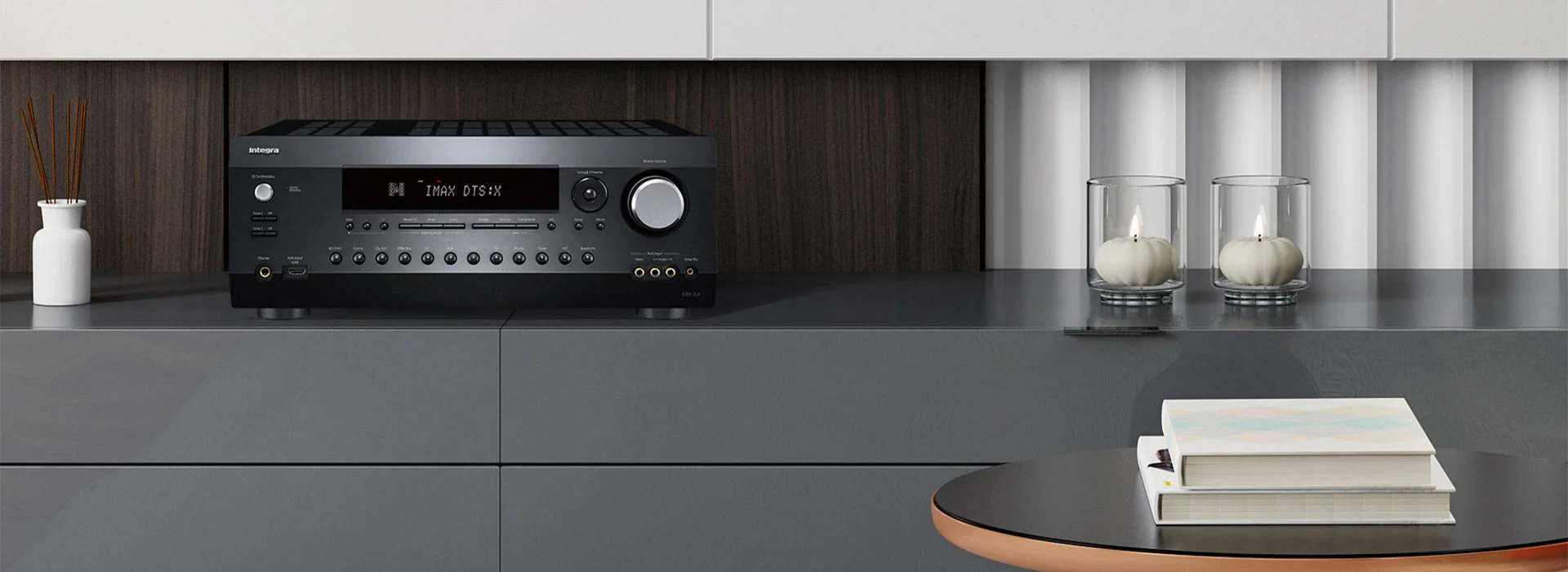
- AV Receiver (AVR): Combines amplification, signal switching, and audio/video processing in one box.
In short, the AV receiver is your all-in-one command center.
Key Functions of a Home Theater Receiver
Here’s what a receiver typically handles:
- Switching between sources: Like going from your PS5 to Apple TV with the click of a button.
- Audio decoding: Converts formats like Dolby Atmos or DTS:X into speaker-ready sound.
- Video passthrough: Sends 4K or 8K signals from your streaming device to your TV.
- Powering your speakers: Supplies the energy needed to make them sound great.
- Control interface: Acts as a remote-controlled hub for your entire system.
Some advanced models even handle upscaling, voice assistants, smart home integration, and room correction.
Inputs and Outputs Explained
This part can get overwhelming, but here’s what you really need to know:
- HDMI Inputs/Outputs: These are where your devices plug in (like streaming sticks, consoles). Look for multiple inputs (at least 4–6), and an HDMI eARC output for sending audio back from your TV apps to the receiver.
- Optical and Coaxial Inputs: Digital audio connections—useful for older devices or CD players.
- Analog Inputs: Good for legacy gear or vinyl players with built-in phono preamps.
- Phono Input: Specifically designed for turntables without built-in preamps.
- Pre-Outs: If you want to expand later with external amplifiers or powered subwoofers.
The more flexible your I/O, the longer your receiver will stay useful.
How Many Channels Do You Need?
In receiver lingo, channels = how many speakers it can power.
- 5.1 = 5 speakers (front left, right, center, surround L/R) + 1 subwoofer
- 7.1 = Adds two rear surrounds for more depth
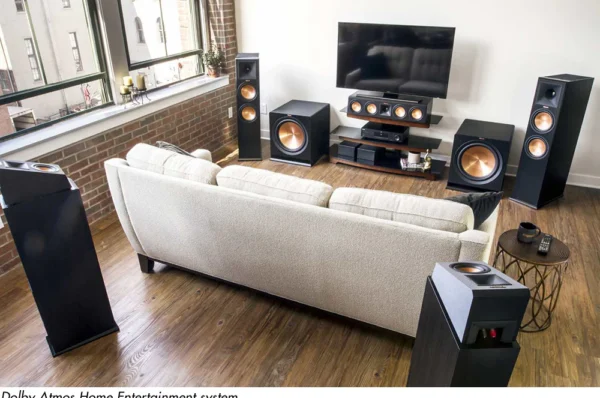
- 5.1.2 or 7.2.4 = Includes height speakers for Dolby Atmos
Ask yourself:
- How many speakers will you use now?
- Do you want to expand later?
If you’re starting with a 5.1 system, getting a 7.1-capable receiver gives you room to grow.
Power Ratings: What They Really Mean
Here’s the truth: most receiver wattage ratings are misleading. Brands might say “100 watts per channel,” but that’s usually only with 1 or 2 channels driven—not all channels at once.
Look for these:
- RMS/continuous power per channel (not peak)
- Ratings at 8 ohms, with 0.1% THD (total harmonic distortion)
- Consider speaker sensitivity—more efficient speakers need less power
For average rooms and normal use, 50–100 watts per channel is plenty. Focus more on quality power, not just big numbers.
Decoding Surround Sound Formats
Your receiver needs to understand modern surround formats:
- Dolby Digital / DTS: Basic surround sound formats.
- Dolby TrueHD / DTS-HD Master Audio: High-res lossless versions used on Blu-rays.
- Dolby Atmos / DTS:X: Add height and movement for true 3D sound.
If you want that “the helicopter is flying over my head” effect, Dolby Atmos support is a must.
Room Calibration and EQ Features
Every room sounds different. Room calibration helps your system adapt to your space using a mic and test tones.
Popular systems:
- Audyssey (Denon/Marantz)
- YPAO (Yamaha)
- Dirac Live (Premium EQ, found in NAD, Arcam)
They adjust speaker levels, distances, crossover points, and EQ. Even in a non-treated room, this can make a huge difference in clarity and balance.
Smart Features and Wireless Connectivity
Modern receivers go far beyond wires. You’ll find features like:
- Bluetooth & Wi-Fi: For streaming music from your phone
- AirPlay 2 / Chromecast Built-In: Send audio directly from apps
- Spotify Connect / TIDAL / Deezer: Built-in streaming services
- Voice control: Alexa, Google Assistant, or Siri compatibility
- App control: Manage settings from your smartphone
These features make it easy to ditch remotes and control everything wirelessly.
Multi-Zone and Whole-Home Audio
Want to listen to jazz in the kitchen while your kids watch cartoons in the living room? Receivers with Zone 2 or Zone 3 support let you send different sources to different rooms.
You can:
- Power extra speakers in another room
- Use separate audio sources per zone
- Control zones independently
Tip: Some multi-zone receivers can even stream to wireless speakers via HEOS or MusicCast.
Choosing the Right Receiver for Your Needs
Let’s simplify:
For a small room or TV upgrade:
- Look for a 5.1 receiver with 4K passthrough and basic streaming.
For a serious home theater:
- 7.2+ channels
- Dolby Atmos and DTS:X support
- Room correction (Audyssey or Dirac)
- 8K and HDMI 2.1 support (for future-proofing)
For music lovers:
- High-quality DACs
- Phono input
- 2.1 or stereo mode with pure audio path
For gamers:
- HDMI 2.1 (for 4K/120Hz)
- Low latency mode
- eARC support
Always match the receiver to your actual usage, not just features you think you need.
AV Receiver vs. Stereo Receiver: Know the Difference
A stereo receiver is simpler—designed purely for 2-channel (left/right) audio, often with fewer features and no video handling.
Choose a stereo receiver if:
- You only care about music
- You’re using 2 speakers and a sub
- You don’t need video passthrough
Choose an AV receiver if:
- You’re building a home theater
- You want surround sound
- You need smart features and HDMI switching
Future-Proofing Your AV Receiver
Technology moves fast. When shopping, look for features that will keep your system relevant for years, like:
- HDMI 2.1 for 8K or 4K/120Hz gaming
- eARC for uncompressed audio from your TV
- HDR10+, Dolby Vision support
- Expandable channels or pre-outs for adding amps
- Firmware updates and app control
Tip: Spending a bit more now can save you from needing a full replacement later.
Top Brands to Consider
Here are some top AV receiver brands and what they’re known for:
- Denon – Great value, solid performance, strong room correction
- Marantz – Audiophile sound with rich detail, elegant design
- Yamaha – Reliable, balanced sound, MusicCast for wireless
- Onkyo & Pioneer – Feature-packed, budget-friendly
- NAD & Arcam – High-end, audiophile sound with Dirac Live
- Sony – Good for basic setups and smart home integration
Each brand has different strengths, so pick based on your needs, not just name.
Conclusion
A home theater receiver might not be the flashiest part of your setup—but it’s arguably the most important. It’s the control center, the power source, the translator, and the multitasker that ties your whole system together. Whether you’re just watching Netflix or creating a movie-night paradise, the right receiver makes all the difference.
So take your time. Think about how you’ll use your system, what you really need now, and what you might want later. A smart investment today means years of amazing audio and video ahead.
FAQs
1. Can I use a home theater receiver just for music?
Yes! Many AV receivers offer excellent stereo performance and music streaming features.
2. Do I need an AV receiver if I have a soundbar?
No. Soundbars have built-in amplification and don’t require a receiver. But they don’t offer the same flexibility or quality as a full system.
3. What’s the difference between Dolby Atmos and regular surround?
Atmos adds height channels, creating a 3D audio effect. Regular surround stays on a horizontal plane.
4. How often should I upgrade my receiver?
Every 5–7 years, or when major features (like HDMI 2.1 or Atmos) become important to you.
5. Is more wattage always better?
Not always. Quality of power matters more than quantity. A 70W/channel high-end receiver can outperform a 100W/channel budget model.