Introduction
- Why Dolby Atmos isn’t just for home theaters anymore
- The rise of Dolby Atmos headphones for gaming, music, and movies
- You don’t need to spend a fortune to enjoy 3D audio
What Are Dolby Atmos Headphones?
- How Dolby Atmos works with headphones
- Difference between stereo, surround, and Atmos audio
- The role of spatial audio and head tracking
How Dolby Atmos Works on Headphones
- Software vs. hardware-based Atmos support
- Dolby Atmos for Headphones app (Windows, Xbox)
- Spatial audio processing in real time
Benefits of Dolby Atmos on Headphones
- 360-degree sound for gaming, movies, and music
- Directional accuracy (great for FPS and cinematic content)
- Enhanced immersion without needing a full surround setup
What to Look for in Dolby Atmos Headphones Under $300
- Native vs. compatible support
- Platforms (Windows, Xbox, mobile)
- Comfort, build quality, and mic performance
- Wireless vs. wired options
- Licensing (do they come with Atmos for Headphones code?)
Top Dolby Atmos Headphones Under $300 (2025 Picks)
- 1. Xbox Wireless Headset ($99)
- 2. SteelSeries Arctis Nova 7X ($179)
- 3. Razer Kaira Pro ($149)
- 4. Astro A40 TR + MixAmp Pro ($249)
- 5. Logitech G Pro X 2 Lightspeed ($249)
- 6. HyperX Cloud Alpha Wireless ($199)
Can Regular Headphones Use Dolby Atmos?
- Yes, via Dolby Atmos for Headphones app
- Benefits of using premium stereo headphones with Atmos software
- What you might miss vs. native Atmos headsets
How to Enable Dolby Atmos on Your Device
- Windows 10/11 steps
- Xbox Series X/S setup
- Atmos for headphones trial vs. permanent license
- Enabling on mobile (if supported)
Dolby Atmos Headphones vs. DTS:X vs. Sony 3D Audio
- Pros and cons of each spatial audio format
- Platform compatibility
- Best for gaming, movies, or music
Are Dolby Atmos Headphones Worth It Under $300?
- Real-world benefits for casual users, gamers, and audiophiles
- When to spend more—and when you don’t need to
- Final thoughts on performance per dollar
Conclusion
- You don’t need a massive speaker setup to enjoy Dolby Atmos
- Best budget-friendly options make 3D audio accessible for all
FAQs
- Do all Dolby Atmos headphones need a license?
- Can I use Dolby Atmos headphones on PS5?
- Is Dolby Atmos for Headphones a one-time purchase?
- Will Dolby Atmos improve regular music playback?
- Can I use Atmos headphones for professional audio editing?
Dolby Atmos Headphones Under $300 : Introduction
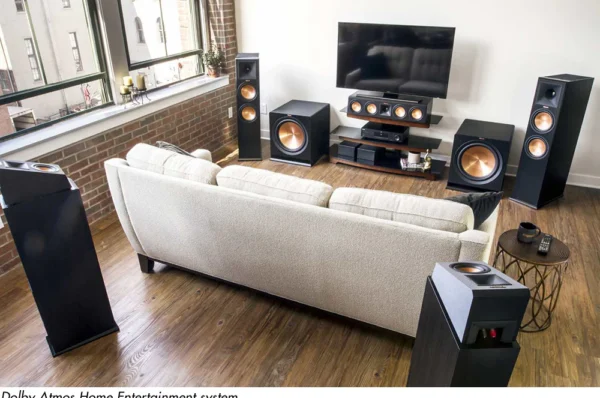
Once upon a time, you needed a full-blown home theater to enjoy Dolby Atmos. Not anymore. Thanks to advances in spatial audio technology, you can now experience that same 3D immersion with just a pair of headphones—no massive speaker setup required.
And here’s the best part: you don’t need to drop $500 or more. Some of the best Dolby Atmos headphones are available for under $300, and they offer incredible value for gamers, movie buffs, and even music lovers looking for that all-encompassing sound experience.
Whether you’re deep into competitive shooters or just want to feel like you’re in the center of your favorite movie scene, this guide will help you choose the best Atmos-enabled headphones under $300—without sacrificing quality or performance.
What Are Dolby Atmos Headphones?
Dolby Atmos headphones use spatial audio processing to simulate a 3D soundstage. That means instead of hearing sounds just from the left and right (like in stereo), you’ll hear them from above, below, and behind you—just like in real life.
Unlike traditional surround sound, which relies on fixed channels, Dolby Atmos uses object-based audio. This allows each sound to move freely in a 3D space. With headphones, Dolby processes these sounds to trick your brain into perceiving directionality and distance.
The result? A more immersive and accurate listening experience. Imagine hearing footsteps approaching from behind in a game or aircraft flying overhead in a movie—that’s Dolby Atmos in action.
How Dolby Atmos Works on Headphones
Dolby Atmos for headphones is mostly software-based, which means you don’t necessarily need special hardware to enjoy it. You just need:
- A compatible device (Windows PC, Xbox Series X/S, etc.)
- The Dolby Access app (where you can purchase or redeem Atmos licenses)
- Headphones capable of clean, detailed sound reproduction
In supported platforms like Windows 10/11 and Xbox consoles, Atmos is enabled through system audio settings. The Dolby software takes standard audio and applies spatial cues to simulate full surround sound—including height.
Some premium headphones come with a license code for Dolby Atmos for Headphones, while others rely on your device already having it installed.
Benefits of Dolby Atmos on Headphones
Still not sure if you need Dolby Atmos in your headphones? Here’s what you’ll get:
- Immersive 360° Audio: Feel like you’re inside the action, not just watching it.
- Better Directional Awareness: Especially useful in FPS and competitive games.
- No Need for a Home Theater: You get surround effects without speakers or wires.
- Improved Detail and Clarity: Sound objects are better separated and positioned.
- Enhanced Music Experience: Many tracks on Apple Music, TIDAL, and Amazon Music support Dolby Atmos mixing.
Simply put, it makes everything sound bigger, more precise, and more realistic.
What to Look for in Dolby Atmos Headphones Under $300
Here are the key features to watch for:
- Native Atmos Support: Some headsets come pre-tuned and licensed for Dolby Atmos.
- Comfort for Long Use: Gaming sessions, movie nights, or editing can go long—look for padded headbands, breathable ear cups, and adjustable sizing.
- Clear Mic Quality: Especially important for gamers or calls.
- Battery Life (for wireless models): At least 15–30 hours is ideal.
- Compatibility: Make sure it works with your PC, Xbox, or other devices.
- Bonus Features: Noise cancellation, EQ tuning, wireless range, etc.
Top Dolby Atmos Headphones Under $300 (2025 Picks)
Let’s break down the best you can buy today for under $300.
1. Xbox Wireless Headset – $99
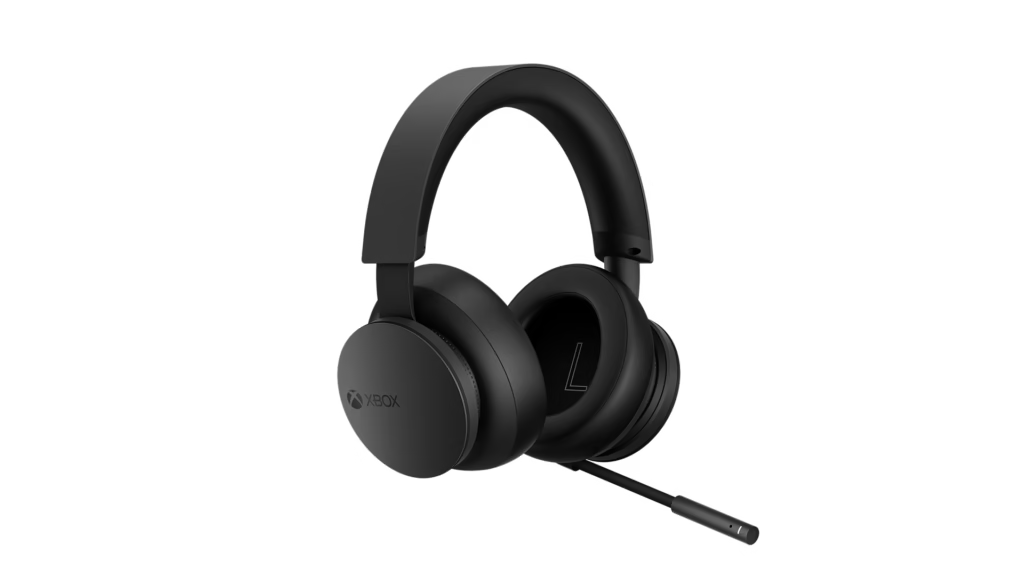
- Platforms: Xbox Series X|S, Xbox One, PC
- Why it’s great: Built by Microsoft for Xbox, this budget-friendly headset includes native Dolby Atmos, Windows Sonic, and DTS Headphone:X support.
Features:
- Wireless with long battery life (15+ hrs)
- Great mic with auto-mute
- On-ear dials for game/chat balance
- Includes Dolby Atmos trial via Xbox
Best for: Console gamers who want plug-and-play Atmos with no fuss.
2. SteelSeries Arctis Nova 7X – $179
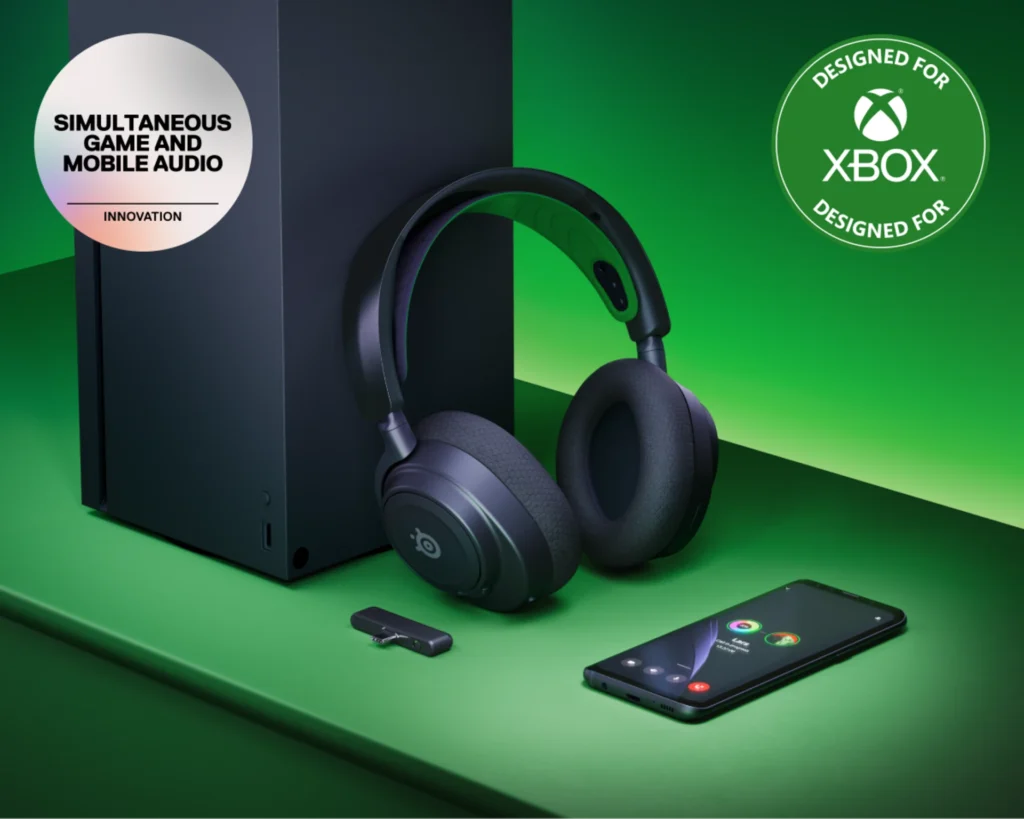
- Platforms: PC, Xbox, PlayStation, Switch, Mobile
- Why it’s great: Outstanding versatility with multi-platform support, clear spatial audio, and Dolby Atmos compatibility on PC and Xbox.
Features:
- 38-hour battery life
- Dual wireless (Bluetooth + 2.4GHz)
- AI noise-cancelling mic
- SteelSeries Sonar software for EQ and spatial audio
Best for: Gamers who jump between consoles and PC.
3. Razer Kaira Pro for Xbox – $149
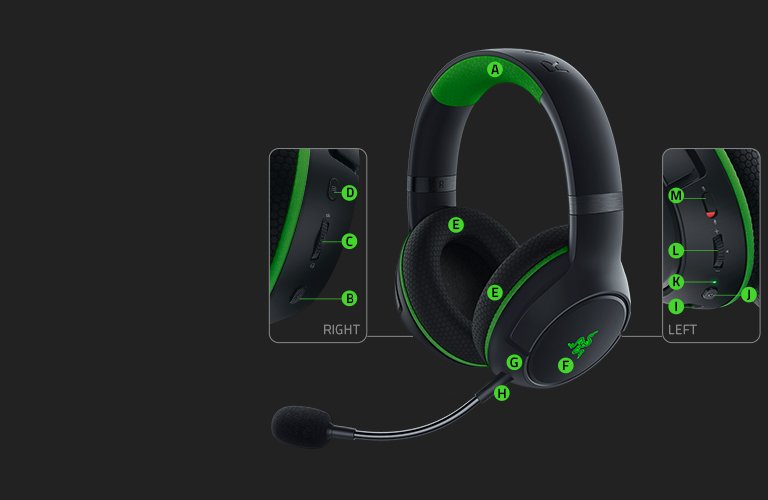
- Platforms: Xbox, PC
- Why it’s great: Designed for Xbox, supports Dolby Atmos for Headphones, and includes Razer Triforce Titanium drivers for detailed sound.
Features:
- 20-hour battery
- Detachable mic
- Razer Chroma RGB
- Native Xbox Wireless + Bluetooth
Best for: Xbox owners looking for flashy, powerful wireless audio.
4. Astro A40 TR + MixAmp Pro – $249
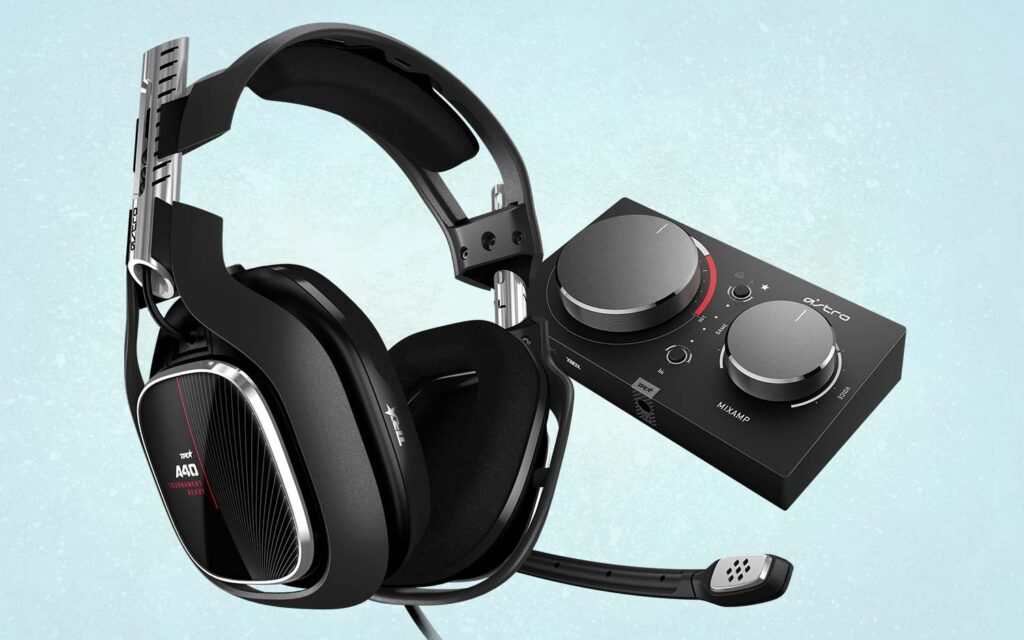
- Platforms: PC, Xbox
- Why it’s great: Wired setup with precise sound tuning, pro-quality mic, and support for Dolby Atmos via the MixAmp on Xbox and PC.
Features:
- Modular design
- Dolby Atmos via included MixAmp
- Superior build quality
- Tunable EQ profiles
Best for: Competitive gamers and streamers needing accuracy and mic clarity.
5. Logitech G Pro X 2 Lightspeed – $249
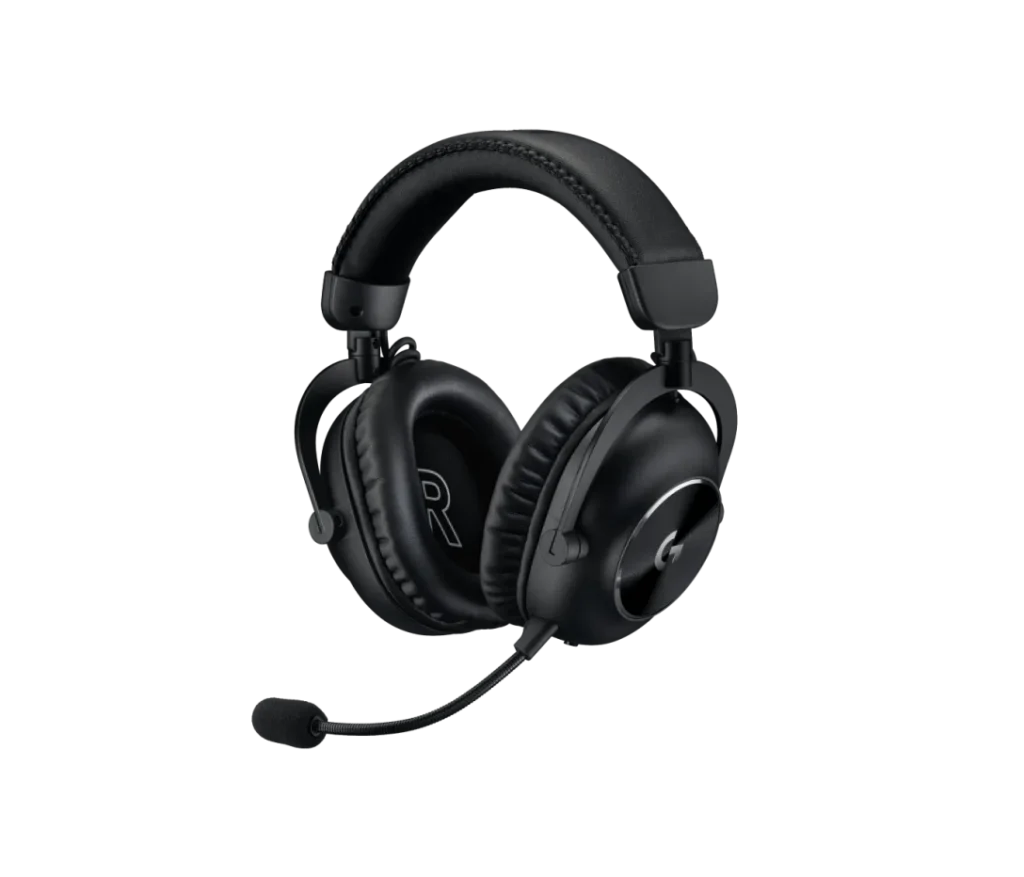
- Platforms: PC, Xbox, PS5 (wired), mobile
- Why it’s great: Lightweight, high-fidelity headset with support for Dolby Atmos through software.
Features:
- 50mm Graphene drivers
- Blue VO!CE mic tech
- 50-hour battery life
- Multi-platform compatibility
Best for: Audiophiles and pro gamers.
6. HyperX Cloud Alpha Wireless – $199
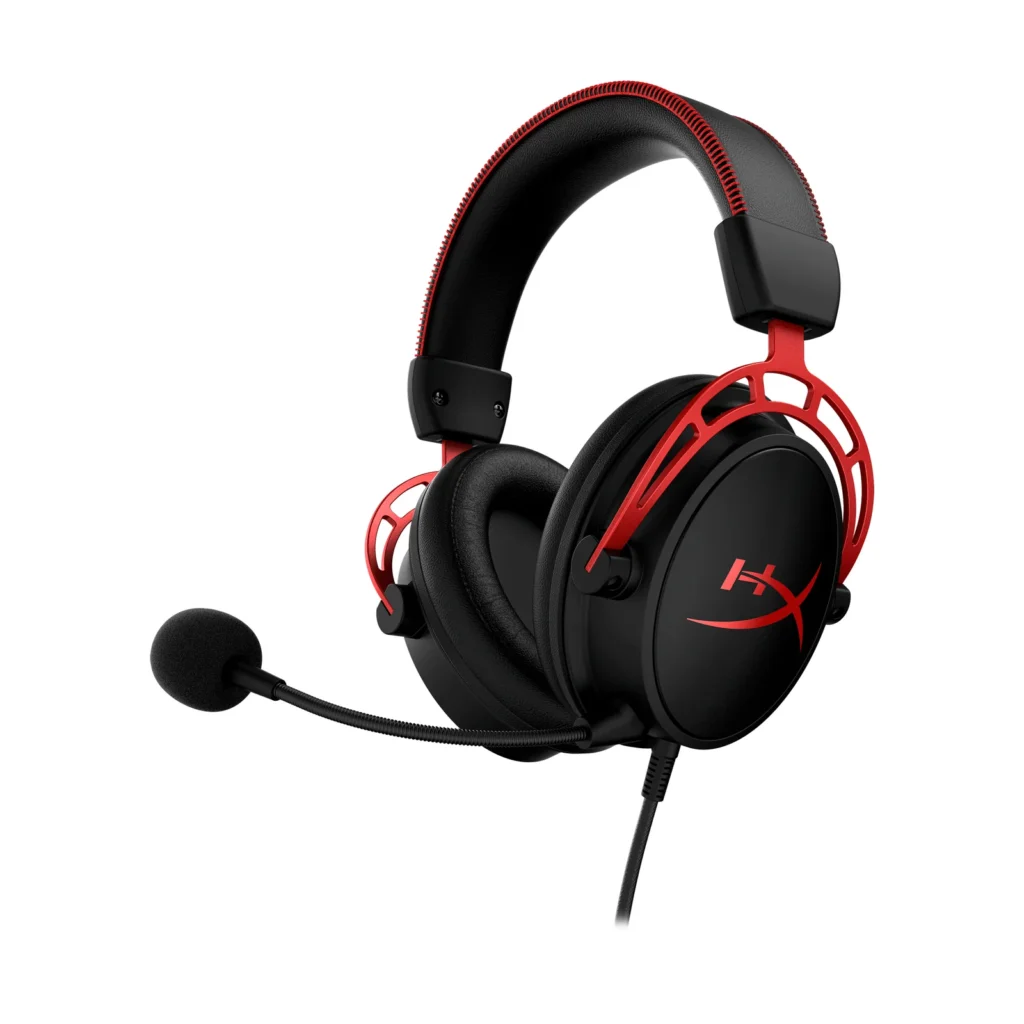
- Platforms: PC, Xbox (wired)
- Why it’s great: Unbelievable 300-hour battery life, paired with compatibility for Dolby Atmos through Windows 10/11.
Features:
- Dual-chamber drivers
- Detachable noise-canceling mic
- Lightweight aluminum frame
- DTS and Atmos compatibility
Best for: Users who hate charging their headset every other day.
Can Regular Headphones Use Dolby Atmos?
Yes! You can use any pair of stereo headphones with the Dolby Atmos for Headphones app (available on Windows and Xbox). The software processes the audio signal before it reaches your headphones, applying 3D spatial cues.
While you won’t get the fine-tuned experience of headsets designed for Atmos, you’ll still notice:
- Better directionality
- Enhanced surround effects
- Wider soundstage
This makes it a great budget-friendly way to dip your toes into Dolby Atmos without buying new gear.
How to Enable Dolby Atmos on Your Device
Here’s how to get started:
Windows 10/11:
- Download the Dolby Access app from Microsoft Store
- Plug in your headphones
- Activate the free trial or enter a license code
- Set “Dolby Atmos for Headphones” as your spatial sound format
Xbox Series X/S:
- Go to Settings > Volume & Audio Output
- Choose Headset Format > Dolby Atmos for Headphones
- Download Dolby Access if needed
Mobile Devices:
- Some Android phones and apps support Atmos playback with compatible headphones.
- Apple users get Spatial Audio with Atmos on AirPods Pro/Max via Apple Music.
Dolby Atmos vs. DTS:X vs. Sony 3D Audio
| Format | Pros | Best For |
|---|---|---|
| Dolby Atmos | Widely supported, best height effects | Movies, Xbox, PC gaming |
| DTS:X | Excellent detail, less licensing | Blu-rays, movies |
| Sony 3D Audio | PS5-exclusive, very immersive | PS5 gaming only |
Atmos wins for cross-platform support and content availability.
Are Dolby Atmos Headphones Worth It Under $300?
Yes—especially if you:
- Love immersive gaming
- Watch Atmos-enabled movies or shows
- Want to experience spatial audio music
- Don’t want the complexity of speaker systems
Under $300, you can get premium-quality sound, wireless freedom, and multi-platform support—making it one of the best ways to step into the future of sound without breaking your budget.
Conclusion
Dolby Atmos no longer requires a dozen speakers and a mountain of cash. With headphones under $300, you can unlock breathtaking 3D sound for gaming, movies, and music—no fancy setup required.
Whether you go with the affordable Xbox Wireless Headset or the powerhouse Logitech G Pro X 2, you’re getting next-level audio immersion at a reasonable price.
So what are you waiting for? Put on a pair and experience sound like never before.
FAQs
1. Do all Dolby Atmos headphones need a license?
Not always. Some include a license for Dolby Atmos for Headphones; others require you to buy it separately via Dolby Access.
2. Can I use Dolby Atmos headphones on PS5?
You can use the headphones, but PS5 does not support Dolby Atmos for games—only for media like Blu-rays.
3. Is Dolby Atmos for Headphones a one-time purchase?
Yes. Once purchased through Dolby Access, the license is tied to your Microsoft account.
4. Will Dolby Atmos improve regular music playback?
Yes, if the music is mixed in Atmos (e.g., on Apple Music or TIDAL). You’ll get a broader, more immersive soundstage.
5. Can I use Atmos headphones for professional audio editing?
You can, but they are best for entertainment and gaming. For critical mixing, flat-response studio headphones are recommended.